
With Looker Studio - Newsletter #3


Hello,
Before going on holidays, I have some new contents to share with you.
Today, the newsletter is about:
My latest blog post freshly published about how to build an interactive funnel report with controls to select the type of values and drop-off the reader wishes to display
3 previous blog posts I updated and translated in French
The release of a new feature for the Looker Studio companion, the Chrome extension: Obfuscation of content
The content of the latest Looker Studio release (July 20)
Mehdi
New blog post
Let's build a funnel report and give the choice to readers to select between types of drop-offs and values to display.

July 20, 2023 - How to create an interactive funnel report with a Looker Studio bar chart - Read the article
Updated & translated blog posts
Here 3 how-to articles I've updated ♻ and translated in French 🇫🇷:
Split comma-separated values to single values with Looker Studio >>>
Mimic UNION ALL operator and combine sets of data >>>
Truncate long text with customized ellipsis position >>>


Obfuscate your report content
This week, I just added a new feature as part of the Looker Studio companion, the Chrome extension
A setting option to obfuscate temporarily your report text contents:
A useful feature to hide confidential. Perfect to capture & store snapshots in your data viz portfolio (avoiding wide blur areas).
>>> Go to the Chrome extension page

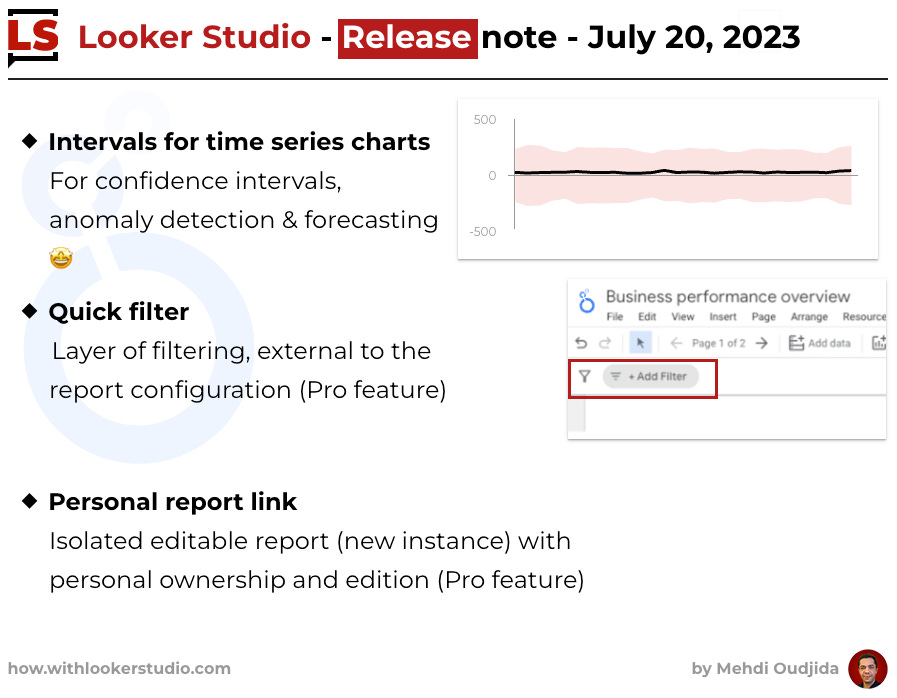
Looker Studio release - July 20, 2023
New features:
Intervals for time series charts: For confidence intervals, anomaly detection & forecasting 🤩
Quick filter: Layer of filtering, external to the report configuration (Pro feature)
Personal report link: Isolated editable report with personal ownership & edition (Pro feature)

Mehdi Oudjida
Digital Analytics freelance
& Looker Studio addict